Listen to PDFs in Chrome with an in-browser audio reader
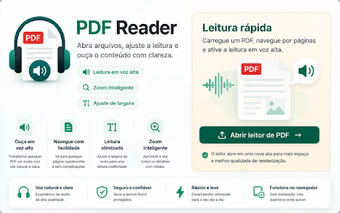
PDF Audio Reader, published on the Chrome Web Store, converts PDF documents into spoken audio inside the browser, serving accessibility and productivity needs. The extension opens local PDFs with a simple drag-and-drop workflow and a minimalist user interface. It offers playback controls and basic navigation for users who prefer listening to long documents. Students, professionals, language learners, and people needing reading support gain quick in-browser audio access to text-based PDFs.
What kind of browsing workflow does the extension target?
The extension targets document-heavy browsing sessions where reading by eye is impractical, such as commuting, multitasking during research, or accessibility scenarios. The tool converts readable PDF text into speech using the browser environment so listeners can follow content without switching to a separate application. This design suits listeners who want in-place audio playback while keeping browser tabs and reference links available for immediate lookup.
How does it behave under typical resource constraints?
The extension advertises a low system impact compared with full PDF editing suites, because it runs within the browser and uses the platform's built-in speech services. Users should expect lighter CPU and memory use than heavy desktop PDF tools, since the reader focuses on audio rendering rather than extensive page manipulation. Background playback keeps the tab responsive and avoids large additional processes for text rendering.
Does it protect document privacy and work offline?
The extension processes documents locally inside the browser, so files do not need to be uploaded to external servers for speech synthesis. Offline operation is supported through the system's native text-to-speech engines, enabling reading of local files without an active internet connection. This behavior supports users who must keep sensitive documents on-device while still accessing audible output.
How does it handle non-text PDFs and voice options?
The tool works best with text-based PDFs; scanned documents require OCR beforehand to become readable by the speech engine. Voice selection and language support rely on the operating system's available voices, so quality and options vary by platform. For language learners or users needing pronunciation practice, the extension exposes the system voices but does not include embedded OCR or its own voice catalog.
Who should use this extension and what to expect
The extension is a practical choice for users who need quick, browser-based audio access to readable PDFs and who prefer an uncluttered interface. It suits people prioritizing privacy and offline playback, but it is not a substitute for OCR workflows or dedicated PDF editors. For best results, prepare text-based files and verify system voice availability before relying on it for extended study or accessibility work.